
Every feature, in plain English
No buzzwords. Every claim below maps to a real endpoint, column type, or env var. Skim the anchor nav, jump to what matters.
AI-native boards
Every entity in Netdexpert has a three-letter short_id. Boards, items, columns, groups, views — all addressable in a URL that fits in a tweet.
When an agent reads /r/bqr it gets the whole board: items, column values, group structure, view config. When it writes PUT /r/bqr/i4k/cs1 with {"v": "done"} it sets one cell, deterministically, with the same payload shape used by every column type. Discovery endpoints (/api/sitemap, /api/help, /api/state, /api/conventions, /api/column-types) describe the system in plain text so an LLM can self-orient in one round trip. No tool wrappers to maintain, no schema scraping, no documentation drift.
Agents that work with Netdexpert today will keep working when the schema evolves. The compact API is the contract.
See it in the app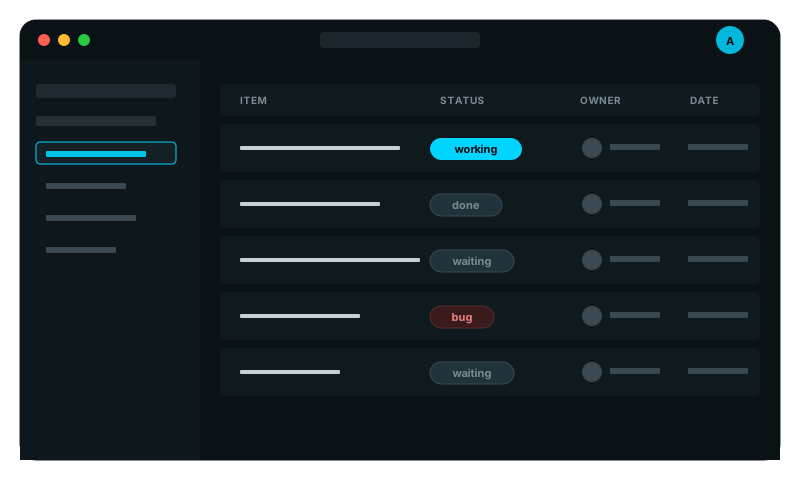
Items + columns
Boards, items, columns. The four primitives. Status, label, date, formula, agent, secret, model — eighteen column types ship in core.
Every column type follows a strict four-version presentation rule. The full cell renders in the table. A mini chip renders in the item detail header, kanban card, and calendar event. A group summary renders in collapsed group rows. A rollup feeds the summary column type. The contract is enforced by TypeScript — adding a new column type without all four presentations fails tsc --noEmit. The registry lives at frontend/src/components/boards/columnRegistry/ and adding a column type is a five-file change, no core edits.
Extending the column system is a closed problem: write the cell, mini, summary, viz; ship.
See it in the app Agents in your workflow
Agents are not bolted on. The Agent column type is first-class — same surface area as a status or a date.
Drop an Agent column onto a board, assign it a system prompt, and every item in the board has a slot the agent can read and write. The agent receives the row context via /r/{board}/{item} and writes back via PUT. Trigger it manually from the cell, on a schedule, or via an automation when another column changes. Bring your own model — Claude, GPT-5, Gemini, local Ollama; agents are dispatched through a model registry, not hardcoded to one provider. The Model column type stores per-row provider/model config so a board can mix capabilities.
Agents do work; they do not orchestrate it. Boards orchestrate. That separation is why agents stay swappable.
See it in the app Automations
Triggers + actions. When the status column flips to "done", post to Slack. When a date hits, run an agent. When a webhook lands, create a row.
Automations are stored as rows on a config board (so they show up in audit logs, search, and the API). The trigger graph is declarative: column-change, time-of-day, cron, webhook, item-create, item-update. The action set: HTTP request, agent run, column set, item create, notification. Composable enough for everyday workflows, not so general that they become a programming language to debug. For anything beyond that, the compact API is the escape hatch — write a script, point it at /r/{board}, run it on a schedule.
Automations cover the 80% case. The API covers the rest. No vendor lock-in to a workflow DSL.
See it in the app MCP-integrated
Connect your LLM client of choice — Claude Desktop, Cursor, Codex — and your boards become searchable knowledge in one configuration step.
Netdexpert ships an MCP server that exposes the compact API as MCP tools. read_board, search_items, set_cell, run_agent — the same operations the web app uses. Authenticated via X-Vault-Key or JWT; the server respects tenant scoping so cross-tenant reads return 404, not 403, even via MCP. The discovery endpoints are also surfaced as MCP resources so the LLM can pull the current schema before issuing tool calls. Configuration is a single block in your MCP client config — no per-board setup, no manual schema registration.
Your boards are AI-readable the moment the MCP server is online. No agents to write, no glue code.
See it in the app Multi-tenant
tenant_id on every primary entity. A request stamps tenant_id into request.state. Every query filters by it. No bypass, no foot-gun.
The data layer enforces tenant isolation, not the route layer. A SQLAlchemy before_flush listener autostamps tenant_id on every insert. The compact API gates every /r/{short} lookup by tenant. A cross-tenant short_id collision returns 404 — not 403 — because 404 is impossible to misread as "this exists, you just can't see it". JWT auth, bcrypt, refresh tokens, rate limiting, email verification: all shipped. NETDEX_MODE=single switches the whole stack to single-tenant mode for self-hosters (no auth wall, no tenant header), same code, same binaries.
Cloud and self-host are the same codebase. Multi-tenant is opt-in, off by default for OSS users.
See it in the app Ready to plug agents into your boards?
Free cloud signup or self-host on your hardware. Same features, your choice of hosting.